Make-in-India OEM  •  Enterprise WiFi 6 · Switching · Security · AIOps Cloud
Home / Products / NetForce Switches / NetForce L3
NetForce L3 Series · Layer 3 managed switching · Make in India

NetForce L3 — Layer 3 managed switches for the distribution and core

Seven Layer 3 managed models — C122, C244, C802, D244, D486, E244 and E486 — combining Layer 2 switching with inter-VLAN routing, static and dynamic routing, ACLs and 10G SFP+ fibre uplinks. Designed and manufactured by Immunity Networks & Technologies Pvt Ltd at Sanand GIDC, Gujarat, engineered from Powai, Mumbai, and managed from NetCloud Central. This page maps every model to the layer it belongs in and gives you a method for choosing between them.

Where this layer sits

Routing where the campus actually needs it

In a small office, a single router at the internet edge can carry the whole network. In a campus, it cannot. The moment you have multiple buildings, multiple VLANs and traffic that needs to move between them at wire speed, funnelling everything through one router or firewall becomes the constraint that defines your network's behaviour. The purpose of a Layer 3 switch is to move that routing decision into the switching fabric itself, close to where the traffic already is.

That is the job the NetForce L3 series is built for. The published series description covers Layer 2 switching combined with full Layer 3 routing in a single device — inter-VLAN routing, static routing, OSPF, Policy-Based Routing and IPv6 forwarding — across enterprise, campus, data-centre and industrial networks. Every model in the family supports VLAN segmentation (802.1Q), Link Aggregation (LACP), Spanning Tree (STP/RSTP/MSTP), QoS and 802.1X access control, with SFP/SFP+ fibre uplinks and high-density port configurations for core and distribution layers. Up to 4K VLAN entries and priority-based traffic shaping are published for the series, along with port mirroring for monitoring and troubleshooting, and ACLs for controlling what moves between segments.

Structurally, that places NetForce L3 above the access layer. Your NetForce L2 access switches terminate desks, cameras, phones and access points, then hand traffic upwards over fibre to an L3 distribution or core switch which routes between subnets, aggregates uplinks and applies policy. From there, traffic bound for the internet or for other sites passes to the NetGuard controllers at the security edge. The wireless half of the campus — NetWave access points — attaches to the same fabric, and every managed element is visible in NetCloud Central.

The seven L3 models are not seven versions of the same thing. Broadly, there are three shapes in the family: pure 10G fibre switches for the aggregation core, mixed fibre and combo-port switches for distribution, and 48-port gigabit switches with 10G uplinks that put routing directly into a high-density wiring closet. Understanding which shape you need is most of the selection work.

Where NetForce L3 sits in a campus architecture A layered diagram. At the top is the security and WAN edge with NetGuard controllers. Below it, highlighted in maroon, are two NetForce L3 bands: an aggregation core band containing the C122 and C802 fibre switches, and a distribution band containing the C244, D244 and E244 mixed-port switches and the D486 and E486 forty-eight port switches. Below that is the access layer with NetForce L2 switches, and at the bottom the endpoints those switches serve. Security / WAN edge NetGuard controllers · internet, MPLS and inter-site links Aggregation core — NetForce L3 fibre C122 · 12 × 10G SFP+ · 240 Gbps C802 · 12 × 10G SFP+ · 240 Gbps Distribution — NetForce L3 mixed & high density C244 · 128 Gbps D244 · 128 Gbps E244 · 128 Gbps D486 · 48 × 1G + 6 × 10G SFP+ E486 · 48 × 1G PoE+ 460W + 6 × 10G SFP+ Access layer — NetForce L2 switches feeding desks, access points, cameras and phones All managed layers visible in NetCloud Central
Model comparison

All seven NetForce L3 models

Each tile below gives the model designation, where it fits in a topology, and the figures already published on its own model page. Where a figure is not published, treat it as open and ask us to confirm current specifications in writing for the specific model before you build it into a design or a tender response.

Twelve-port fibre switch icon

NetForce L3-C122

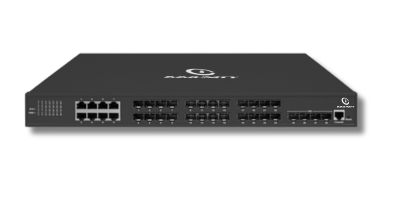
Where it fits: the all-fibre aggregation core — the box that terminates building uplinks and server links where every port is 10G and copper is not part of the picture.

Published: 12 × 10G SFP+ fibre ports, 240 Gbps switching capacity, 178.56 Mpps forwarding, VLAN, QoS, ACL and multicast, 802.1X with ARP and DoS protection, STP/RSTP/MSTP, and management via NetCloud, web, CLI, Telnet, SNMP with SSL/SSH, in a 19-inch rack form factor.

View the NetForce L3-C122 →

Fibre core switch icon

NetForce L3-C802

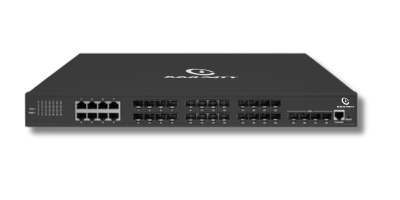
Where it fits: fibre connectivity at the core, alongside or in place of the C122 depending on availability, chassis preference and how the rest of your fleet is standardised.

Published: 12 × 10G SFP+ fibre ports for high-speed data, 240 Gbps switching capacity, 178.56 Mpps forwarding, VLAN, QoS, ACL and multicast, with 802.1X, ARP and DoS protection. Where you are deciding between C802 and C122, ask us to confirm current specifications in writing for the specific model.

View the NetForce L3-C802 →

Mixed fibre and combo port switch icon

NetForce L3-C244

Where it fits: mixed-media distribution — where you need 10G fibre uplinks, a bank of gigabit fibre, and combo ports that can take copper or optics as the site evolves.

Published: 4 × 10G SFP+, 16 × 1G SFP and 8 × 1G combo ports, 128 Gbps switching capacity, 95.2 Mpps forwarding, VLAN, QoS, ACL and multicast, with ARP/IP/DoS protection and 802.1X authentication.

View the NetForce L3-C244 →

Distribution switch icon

NetForce L3-D244

Where it fits: the same mixed-media distribution role as the C244, used where a site standardises on the D-line for its distribution tier.

Published: 4 × 10G SFP+, 16 × 1G SFP and 8 × 1G combo ports, 128 Gbps switching capacity, 95.2 Mpps forwarding, VLAN, QoS, ACL and multicast, with ARP/IP/DoS protection and 802.1X authentication. Differences between the C, D and E lines at this port configuration should be confirmed with us in writing for the specific model.

View the NetForce L3-D244 →

Combo port switch icon

NetForce L3-E244

Where it fits: distribution for demanding sites on the E-line, with the same fibre-plus-combo port mix as the C244 and D244.

Published: 4 × 10G SFP+, 16 × 1G SFP and 8 × 1G combo ports, 128 Gbps switching capacity, 95.2 Mpps forwarding, VLAN, QoS, ACL and multicast for efficient traffic control, with ARP/IP/DoS protection and 802.1X authentication.

View the NetForce L3-E244 →

Forty-eight port switch with ten gigabit uplinks icon

NetForce L3-D486

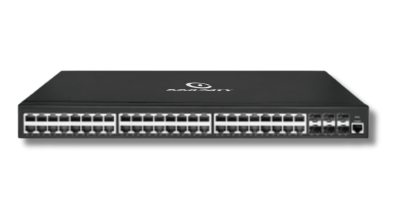
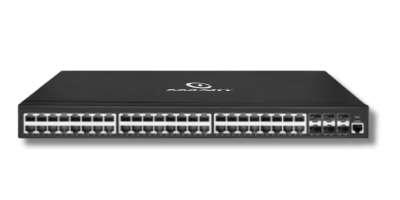
Where it fits: routing pushed into a high-density wiring closet — forty-eight gigabit copper ports for endpoints with 10G fibre going up to the core, so a floor or building can route locally.

Published: 48 × Gigabit RJ45 ports plus 6 × 10G SFP+ uplink slots, described in the series FAQ at 216 Gbps, with VLAN, QoS, ACL and multicast for optimised traffic and 802.1X, ARP, IP and DoS protection.

View the NetForce L3-D486 →

Forty-eight port PoE plus switch icon

NetForce L3-E486

Where it fits: the powered distribution switch — forty-eight gigabit ports that both route and supply PoE+, for closets that feed access points and cameras directly without a separate access switch beneath them.

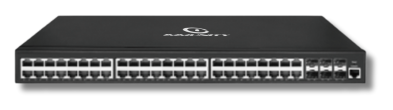
Published: 48 × Gigabit ports plus 6 × 10G SFP+ uplinks, PoE+ with a 460W power budget, Layer 3 static routing for IPv4 and IPv6, and advanced security including 802.1X, ARP and DoS protection.

View the NetForce L3-E486 →

Stacked switch family icon

Not sure which line applies?

Where it fits: most Indian campus designs end up using two or three of these models together — a fibre core, a distribution tier and, where density demands it, routing in the closet.

Send us your building count, VLAN plan, endpoint numbers and fibre runs. Our engineers will map models to layers, size uplinks, and put the specifications for every model quoted in writing. The full family view including the Layer 2 range is on the NetForce Switches hub.

Ask an engineer to size it →

Buyer guidance

How to choose between these seven models

Seven models sounds like a lot until you notice that they fall into three groups with clear boundaries. Work through the following questions in order and you will usually land on two candidates, not seven.

Question one: is this box terminating copper endpoints, or only fibre? If it terminates copper endpoints — desks, cameras, access points — you are looking at the 48-port models, the D486 or the E486. If it terminates only uplinks from other switches and servers, you are in fibre territory: the C122 or the C802, both published at 12 × 10G SFP+ with 240 Gbps switching capacity and 178.56 Mpps forwarding. If it is somewhere in between — a distribution box needing a mix of 10G fibre, gigabit fibre and flexible combo ports — you are looking at the 128 Gbps trio: C244, D244 and E244, each published at 4 × 10G SFP+, 16 × 1G SFP and 8 × 1G combo ports with 95.2 Mpps forwarding.

Question two: does this switch need to supply power? This is the cleanest differentiator in the entire family. The E486 publishes PoE+ with a 460W power budget across its 48 gigabit ports; the D486 publishes the same 48 × 1G plus 6 × 10G SFP+ port layout without that PoE specification. If your wiring closet feeds access points and cameras directly and you want to avoid a separate access switch beneath the routing switch, the E486 is the model to price. If the closet feeds only data endpoints, or if powered devices already sit behind NetForce L2 PoE switches, the D486 is the more economical answer. Note that a 460W budget is a total, not a per-port guarantee across all forty-eight ports simultaneously — work out your aggregate draw and ask us to confirm current specifications in writing for the specific model before committing.

Question three: how much capacity does this layer actually need? The published capacity figures give you a straightforward ladder: 240 Gbps and 178.56 Mpps on the C122 and C802, 128 Gbps and 95.2 Mpps on the C244, D244 and E244, and 216 Gbps on the D486 per the series FAQ. Capacity should be sized against realistic peak aggregate traffic through the box, not against the sum of theoretical port speeds — but it should also carry enough headroom that a growth spurt or a new application does not force a forklift replacement two years in.

Question four: what is your fibre plant, and what optics will it take? Fibre type and run length determine transceiver choice, and transceiver choice determines whether the switch you ordered actually lights up on commissioning day. Multi-mode inside a building and single-mode between buildings is the common Indian campus pattern, but the specifics matter. Our NetBeam optics range covers SFP and SFP+ options, and we will match transceivers to your documented runs as part of the quotation.

Question five: how many routed segments are you planning? The series publishes support for up to 4K VLAN entries, inter-VLAN routing, static routing, OSPF, Policy-Based Routing and IPv6 forwarding. Most campuses use a fraction of that, but the number of VLANs you plan drives your addressing scheme, your ACL complexity and — importantly — how much of the routing you want to keep in the switching fabric versus pushing to the security edge. This is exactly the conversation our team has on a switching and routing design review, and it is worth having before the purchase order rather than after.

Decision path for choosing a NetForce L3 model A decision flow with three branches. The first question asks what the switch terminates. A fibre-only answer leads to the C122 and C802 at 240 Gbps. A mixed fibre and combo answer leads to the C244, D244 and E244 at 128 Gbps. A copper-endpoint answer leads to a further question about whether Power over Ethernet is required, which branches to the E486 with its 460 watt PoE plus budget or the D486 without it. All branches converge on a final step confirming capacity headroom, optics and written specification confirmation. What does this switch terminate? uplinks only, mixed media, or copper endpoints Fibre uplinks only all-10G aggregation core Mixed fibre + combo distribution tier Copper endpoints 48-port wiring closet C122 · C802 12 × 10G SFP+ · 240 Gbps C244 · D244 · E244 4 × 10G + 16 × 1G + 8 combo Does it power endpoints? APs and cameras on these ports? E486 PoE+ 460W D486 no PoE spec Then confirm capacity headroom, optic type against fibre runs, VLAN and routing plan and get specifications for the exact model in writing
Capabilities

What the routing layer does for your design

Inter-VLAN routing is the headline capability, and it is the one that changes a network's shape. Once routing sits in the switching fabric, you can segment freely — medical devices apart from staff devices, examination systems apart from hostels, production networks apart from office networks, guest wireless apart from everything — without every inter-segment packet making a round trip to a firewall. Segmentation stops being expensive, which means people actually do it, which is usually the single biggest improvement available to an Indian campus network.

Static routing and OSPF give you two ways to describe reachability. Static routes are predictable and easy to audit, which is why many single-core campuses never need anything more. OSPF earns its place when you have several routed devices and want them to learn paths rather than be told them individually. Policy-Based Routing sits alongside both, letting you steer specific traffic — a particular subnet, a particular application class — down a different path from the default. IPv6 forwarding is published across the series, which matters increasingly for institutions with addressing mandates.

Link Aggregation (LACP) lets you bond multiple physical links between switches into one logical link, which is how most campuses grow uplink capacity between the access and distribution tiers without re-architecting. The spanning-tree family (STP/RSTP/MSTP) and ERPS ring protection are published in the series feature set for loop prevention and ring topologies; the specific behaviour you should design around depends on the model and the topology, so raise it with our engineers rather than assuming.

On the control side, ACLs and 802.1X determine what is allowed to move and who is allowed to connect. QoS with priority-based traffic shaping determines what wins when links are busy. Port mirroring, published for the series, gives you a way to see traffic for troubleshooting or for feeding an analysis tool — a small feature that saves entire afternoons when something is behaving oddly. And multicast handling matters wherever video distribution, IPTV or announcement systems are part of the brief.

All of it is administered through NetCloud Central for zero-touch provisioning, real-time routing monitoring and remote configuration across multi-site networks, with web, CLI, Telnet, SNMP and SSL/SSH access available on the devices themselves. For organisations running distributed sites, that combination is what makes a multi-site enterprise network operable by a small team.

Deployment patterns

How Indian campuses put these models together

The multi-building campus. A fibre core — C122 or C802 — sits in the main equipment room and terminates single-mode runs from each building. Inside each building, a distribution switch from the 244 group or a 48-port D486 handles local routing, with NetForce L2 access switches beneath it on each floor. Wireless is layered on top through campus wireless design, with access points powered from the L2 tier or, where density is lower, directly from an E486.

The single large building. Here the core and distribution collapse into one tier. A pair of 48-port L3 switches in the main frame route between VLANs and feed L2 access switches on each floor over fibre. This is common in hospitals and mid-size corporate offices, where the building is large but the site is singular.

The powered closet. Where a floor's endpoints are mostly access points and cameras, an E486 with its published PoE+ 460W budget can both route and power, removing a tier of equipment. This suits hospitality and surveillance-heavy deployments — but it makes the power budget calculation critical, which is why we ask for endpoint counts and device types before quoting it.

The industrial or process site. Segmentation between process networks and business networks is the design driver, with fibre used for electrical isolation between buildings. Ring topologies are common, and ERPS is published in the series feature set for exactly this pattern — bring us the topology and we will walk through it with you.

Across all four patterns, the practical advantage of a single-vendor, single-console stack is consistency: one firmware policy, one monitoring view spanning NetWave access points, NetForce switches and NetGuard controllers, and one support relationship in India. Integrators who build repeatedly on this stack work with us through our partner programme.

Procurement and compliance

Getting the paperwork right before you order

Layer 3 switches usually sit in the most scrutinised part of a tender, because they are the most expensive line and the one that determines the architecture. Indian buyers in government, public sector, education and healthcare increasingly require documented certification for network equipment — mandatory testing and certification of telecom equipment, TEC-related approvals and, where radio is involved, WPC-related approvals. Ask any vendor, ourselves included, for written per-model confirmation of current certification status before you build it into a bid. Certification is granted model by model and status changes over time, so a brochure statement is not a substitute for a document naming the exact SKU. Our published position is on the certifications page and our team will confirm current status for your specific models in writing.

Beyond certification, put four things into the purchase order explicitly. The exact model and variant, since C, D and E lines share port configurations at some points and diverge at others. The optics, since a switch without matched transceivers is not a working uplink — see NetBeam optics. The warranty term and coverage, which vary by model and quantity. And lead time against your project programme, because commissioning windows in Indian projects are rarely generous. We confirm all four in writing when you contact us with a bill of materials, and current published documents sit in the downloads library.

On provenance: Immunity Networks & Technologies Pvt Ltd was founded in 2009, designs its products in-house and manufactures at its own facility at Sanand GIDC in Gujarat, with headquarters at Powai, Mumbai. For local-content evaluations, that distinction — designing and building rather than importing and re-badging — is usually the point that carries weight, and it is the point we are happy to document.

Send us your topology — we will map models to layers

Share your building layout, VLAN plan, endpoint counts, PoE requirements and fibre runs. Our India-based engineers will recommend specific NetForce L3 models per layer, size the uplinks into and out of each, match optics to distances, and put the specifications for every model quoted in writing.

FAQ

NetForce L3 — frequently asked questions

Which NetForce L3 models are available, and how many are there?

Seven: C122, C244, C802, D244, D486, E244 and E486. They fall into three groups: all-fibre 10G cores (C122, C802), mixed fibre and combo distribution switches (C244, D244, E244) and 48-port gigabit switches with 10G uplinks (D486, E486).

Which model should I use as a 10G fibre core?

The C122 or the C802. Both are published at 12 × 10G SFP+ fibre ports with 240 Gbps switching capacity and 178.56 Mpps forwarding, with VLAN, QoS, ACL and multicast, plus 802.1X, ARP and DoS protection. Where you are choosing between the two, send us your requirement and we will confirm current specifications in writing for the specific model.

What is the difference between the D486 and the E486?

Power. Both are published with 48 gigabit ports and 6 × 10G SFP+ uplinks. The E486 additionally publishes PoE+ with a 460W power budget, making it suitable for closets that feed access points and cameras directly. The D486 is published without that PoE specification and is described in the series FAQ at 216 Gbps. Choose the E486 only if the ports genuinely need to supply power.

How do the C244, D244 and E244 differ?

They share a published port configuration — 4 × 10G SFP+, 16 × 1G SFP and 8 × 1G combo ports, at 128 Gbps switching capacity and 95.2 Mpps forwarding, with VLAN, QoS, ACL and multicast plus ARP/IP/DoS protection and 802.1X. Because the published figures are the same across the three, the practical differences sit in build, availability and how your fleet is standardised. Ask us to confirm current specifications in writing for the specific model before you commit.

Do I need a Layer 3 switch, or will Layer 2 do?

If traffic only needs to move within VLANs, NetForce L2 switches are sufficient and less expensive. The moment traffic must move between VLANs or subnets at wire speed — which is the normal case in any multi-department campus — you need Layer 3 in the fabric rather than a router bottleneck. Most sites use both tiers together: L2 at the access layer, L3 at distribution and core.

What routing protocols are supported?

The series publishes inter-VLAN routing, static routing, OSPF, Policy-Based Routing and IPv6 forwarding, alongside VLAN segmentation (802.1Q), Link Aggregation (LACP), the STP/RSTP/MSTP spanning-tree family, ERPS ring protection, QoS and 802.1X. For the exact protocol support and scale limits on the model you intend to buy, ask us to confirm current specifications in writing for the specific model.

How are NetForce L3 switches managed across sites?

Through NetCloud Central, with zero-touch provisioning, real-time routing monitoring and remote configuration across multi-site networks. On-device access is available via web, CLI, Telnet, SNMP and SSL/SSH. Because the same console manages NetWave access points and NetGuard controllers, wired and wireless are visible together rather than in separate tools.

What about certification, warranty and lead times for Indian tenders?

Indian buyers increasingly require documented certification, including mandatory testing and certification of telecom equipment, TEC-related approvals and WPC-related approvals where radio is involved. Ask any vendor for written per-model confirmation of current status. Warranty terms, stock availability and lead times vary by model and order quantity. Send us your model list through contact us and we will confirm all of it in writing; see also the certifications page and the downloads library.

📞 Request a Demo