Make-in-India OEM  •  Enterprise WiFi 6 · Switching · Security · AIOps Cloud
ENTERPRISE WI-FI

Enterprise Wi-Fi Solutions Built and Supported in India

Immunity Networks designs, manufactures and supports the complete enterprise wireless stack — NetWave Wi-Fi 6 access points, NetForce PoE switching, the NetGuard X5 controller and NetCloud Central management. One Indian OEM, one support line, no integration gaps between layers.

Request a network design consultation See a deployment case study

Why enterprise Wi-Fi projects disappoint

Most enterprise wireless problems are not radio problems. They are design and ownership problems that surface only once the network is carrying real users.

Coverage designed on paper, not for the building

Access points placed to a grid rather than to an RF survey leave dead zones exactly where people work — stairwells, lift lobbies, shielded rooms and long corridors. Dense construction and metal racking change propagation far more than a floor plan suggests.

Capacity confused with coverage

A site can show full signal everywhere and still collapse when three hundred people arrive at once. Coverage is about reach; capacity is about how many clients each radio can serve at usable throughput. Conference halls, lecture theatres and boarding gates are capacity problems wearing a coverage costume.

Roaming that drops sessions

Users walking between floors or buildings should not lose a call or a session. Roaming behaviour depends on controller configuration and consistent policy across every access point — which is difficult when APs and controller come from different vendors on different firmware cycles.

Vendor sprawl

A typical deployment ends up with access points from one vendor, switches from another, a firewall from a third and a captive portal from a fourth. Each has its own licence renewal, support contract and finger to point when something breaks. Accountability disappears precisely when you need it.

The Immunity stack: four layers, one vendor

LayerProductWhat it does
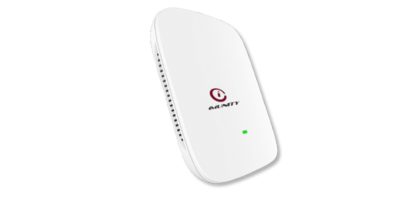
WirelessNetWave Lotus AlphaWi-Fi 6 access points — indoor AX820 and ruggedised outdoor AX821
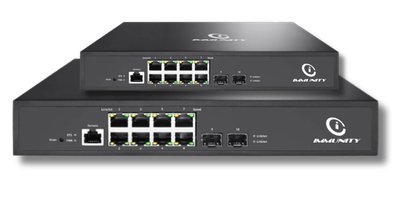
Access & powerNetForce SwitchesManaged L2/L3 PoE switching with VLAN segmentation enforced in hardware
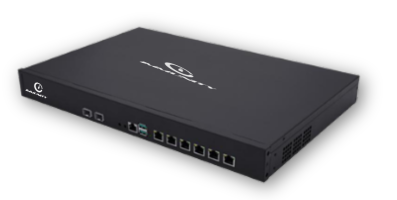
Control & securityNetGuard X5 ControllerGateway security, wireless control, captive portal and billing in one appliance
ManagementNetCloud CentralAIOps cloud console, zero-touch provisioning and remote operations

Because all four layers come from the same OEM, policy is consistent, firmware is tested together, and there is a single accountable party for the whole network.

One appliance instead of four

Most networks run a separate firewall, wireless controller, captive portal and billing server. The NetGuard X5 converges those functions into a single appliance — fewer boxes to licence, fewer support contracts and fewer failure points.

There are situations where separate appliances remain the better answer, and we say so. Read the honest comparison →

Wi-Fi solutions by industry

Every vertical stresses the network differently. These pages cover the specific requirements, constraints and design decisions in each.

Designed and manufactured in India

Immunity Networks has designed and manufactured networking equipment since 2009 at our facility in Sanand GIDC, Gujarat. For buyers, Indian manufacturing changes three practical things: lead times are not hostage to import cycles, hardware and firmware can be adapted for specific deployments, and engineering support sits in the same time zone as your network.

Certifications and compliance

Our equipment is MTCTE certified (and CE, FCC & RoHS compliant), with products listed on the Trusted Telecom Portal. Immunity also holds WPC approval, an IEEE OUI and an IANA PEN. Certification status varies by model and changes over time — ask us for current certification status on the specific models in your design and we will confirm in writing.

How a deployment runs

  1. Survey. RF survey of the actual building, including the difficult areas, with capacity modelled for peak occupancy rather than average.
  2. Design. Access point count and placement, switching and PoE budget, VLAN and policy design, and the management model.
  3. Pilot. Prove the design on one floor, building or site before committing to the full rollout.
  4. Deploy and operate. Phased installation with central visibility from day one through NetCloud Central, and India-based support direct from the OEM.

Deployments

Immunity networks run in airports, hospitals, hotels, campuses, public Wi-Fi and rural connectivity. Client names, logos and specific performance figures are shared under NDA on request.

Frequently asked questions

How many access points does an office need?

It depends on client density and construction far more than on floor area. A useful starting point is to size for the busiest hour rather than the average, then validate with a survey. We size this as part of the design consultation.

Can Immunity equipment work alongside our existing switches?

Yes. NetWave access points are standards-based and will run on third-party PoE switching. Using NetForce switches alongside them simplifies VLAN policy and gives you one vendor for support, but it is not a requirement.

Is the equipment certified for use in India?

Our equipment is MTCTE certified (and CE, FCC & RoHS compliant), with products listed on the Trusted Telecom Portal. Ask us for current certification status on specific models.

Do we need a cloud subscription to manage the network?

No. The network can be managed on-premises through the NetGuard X5 controller, or from the cloud through NetCloud Central. Many customers run both — local control with central visibility across sites.

What support is available after deployment?

Support comes directly from the OEM, with India-based engineers. Because Immunity manufactures the hardware, escalations do not have to travel through an overseas vendor.

Plan your enterprise Wi-Fi

Tell us about your buildings, user numbers and any segregation or compliance requirements. Our engineers will recommend a design and send datasheets, usually within one business day.

Request a network design consultation

How we size a wireless network

Most disappointing deployments were sized by area. A quote that says "one access point per 2,000 square feet" is a guess dressed as a method. We size against the three variables that actually determine performance.

Concurrent devices at peak, not headcount

A 200-person office does not have 200 devices. It has laptops, phones, tablets, printers, IP handsets, cameras, door controllers and sensors — frequently three or four connected endpoints per person. Peak concurrency is what the radios have to carry, and it is usually far higher than the staff list suggests.

What those devices are actually doing

Fifty people reading email is not the same load as fifty people on video calls. Applications drive throughput requirements per client, and video conferencing has changed the baseline permanently. We ask what runs on the network before deciding how many access points it needs.

What the building does to the signal

Reinforced concrete, metal partitions, lift shafts, shielded imaging rooms, cold-storage panels and full racking all attenuate signal in ways a floor plan does not show. This is why we survey rather than assume — the same layout in two different buildings can need materially different access point counts.

The output is a design document: access point count and placement, channel and power plan, PoE budget, switching requirements, VLAN and policy design, and the management model. You can put that out to tender if you wish. We would rather you bought on a design that works than on the lowest headline price.

Security and segmentation

On most enterprise networks, several classes of traffic share one physical infrastructure: corporate devices, guest access, operational technology, IP cameras and building systems. Keeping them apart is not optional, and it is not achieved by putting them on different SSIDs alone.

Separation enforced in hardware

Traffic classes are placed on distinct VLANs enforced by NetForce switching, so they do not share a broadcast domain. Inter-VLAN policy is applied at the NetGuard X5 gateway. The practical effect is that a compromised guest device or camera cannot reach corporate systems, because there is no path rather than because a rule says no.

Guest access that is controlled and accountable

Guest networks are where most organisations are casually exposed. A captive portal with time-bound sessions, bandwidth limits and user identification gives you a record of who was on the network and when — useful for security, and increasingly expected in regulated environments.

Visibility after go-live

Security is not a commissioning task. NetCloud Central provides ongoing visibility of what is connected across the estate, with alerting when behaviour changes, so problems surface before users report them.

Choosing your management model

On-premises (NetGuard X5)Cloud (NetCloud Central)Both
Suited toSingle site, or where control must stay on siteMulti-site estates, lean IT teamsMulti-site with local resilience
ConfigurationLocal applianceCentral consoleLocal, visible centrally
Remote operationsVia VPN to siteNativeNative
If the WAN dropsWireless keeps running locallyWireless keeps running; management pausesWireless keeps running locally
Typical adoptersHospitals, government, single campusesRetail chains, multi-branchHotel groups, multi-campus

The choice is reversible. Sites commissioned with local control can be brought under central management later without replacing hardware.

Buying from an Indian OEM

Immunity has manufactured in India since 2009. Beyond the policy preference for domestic manufacturing in public procurement, three things change commercially when your OEM is in the same country.

Lead times you can plan around

Imported equipment is exposed to shipping, customs and global allocation cycles. Domestic manufacturing shortens that chain, which matters most when a project is phased or a site needs to expand at short notice.

Engineering you can actually reach

When an escalation needs firmware attention, that request goes to an engineering team in India rather than into an overseas support queue. For an unusual deployment requirement, there is a team to discuss it with.

Certification aligned to Indian requirements

Our equipment is MTCTE certified (and CE, FCC & RoHS compliant), with products listed on the Trusted Telecom Portal. Immunity also holds WPC approval, an IEEE OUI and an IANA PEN. Certification status varies by model and changes over time — ask us for current certification status on the models in your design and we will confirm in writing.

Replacing an existing wireless network

Most projects are replacements rather than greenfield builds, and the constraint is that the current network has to keep working throughout.

  1. Survey while the old network runs. The existing deployment is useful evidence — where it fails tells you what the new design must fix.
  2. Run one area in parallel. Commission a floor or building on the new equipment alongside the old, and move real users onto it.
  3. Migrate in phases. Area by area, with the ability to fall back. Cabling and PoE are usually the long pole, not the wireless.
  4. Decommission last. Old access points come down only once the replacement has carried a full working week including the busiest periods.

Access points can run on your existing PoE switching during transition, so switching replacement need not happen at the same time.

Questions worth asking any Wi-Fi supplier

Wireless proposals are difficult to compare because vendors quote different things. These questions expose the differences quickly, and we are happy to be asked all of them.

"Is this quote based on a survey or an assumption?"

If a supplier has quoted an access point count without visiting the site or receiving detailed plans, the number is an estimate. That may be acceptable for budgeting, but it should be labelled as such rather than presented as a design.

"What happens at the busiest hour?"

Ask for the assumed concurrent device count and the per-client throughput the design targets. If the answer is only about coverage, capacity has not been considered.

"What is included beyond hardware?"

Controller licensing, cloud management, support, firmware updates and configuration are sometimes bundled and sometimes not. Two quotes that look similar can differ substantially once three years of licensing is included.

"Who fixes it, and where are they?"

Establish whether support comes from the manufacturer, a distributor or a reseller, and which country the engineering escalation path ends in. This determines resolution time when something is genuinely broken.

"What is the upgrade path?"

Networks are extended, not replaced, for most of their life. Ask what happens when you add a building, double the device count or need outdoor coverage later.

Common deployment scenarios

ScenarioPrincipal challengeTypical approach
Single-floor officeDevice density, meeting roomsIndoor access points on PoE, one controller, VLAN separation for guests
Multi-floor buildingVertical roaming, riser cablingPer-floor access switching into an L3 core, unified policy
Multi-building siteBackbone and outdoor gapsIndoor and outdoor mix, fibre between buildings, central management
Multi-site organisationConsistency and remote operationCloud management, standard per-site template, zero-touch provisioning
Public-facing venueGuest onboarding and isolationCaptive portal with identification, hardware segmentation from operations

Each of these is covered in more depth on the relevant industry page above.

📞 Request a Demo