Make-in-India OEM  •  Enterprise WiFi 6 · Switching · Security · AIOps Cloud
Home / NetWave Wi-Fi / Lotus Alpha Outdoor
NetWave · Lotus Alpha Outdoor · Wi-Fi 6 · Designed and made in India

NetWave Lotus Alpha Outdoor — Wi-Fi 6 access point for street, campus and public Wi-Fi

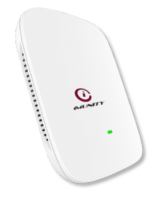
The Lotus Alpha Outdoor (model designations OD AX821 and Alpha OD) is the weatherproof member of the NetWave Lotus Alpha family. It is a Wi-Fi 6 access point built for poles, walls, gantries, parapets and light masts — the places where an indoor access point has no business being. It is designed and manufactured in India, managed from NetCloud Central, and it is the unit most of our public Wi-Fi and campus outdoor projects are built around.

Outdoor wireless is not indoor wireless with a thicker shell. The radio problem changes, the mounting problem changes, the power and cabling problem changes, and the people who have to maintain the thing change too — a municipal ward engineer or an estate maintenance team is not the same audience as a campus IT helpdesk. The Lotus Alpha Outdoor is designed around that reality: a ruggedised enclosure meant to sit in Indian sun, dust and monsoon; mounting that works on a pole or a wall without custom fabrication; and cloud management so that nobody has to climb up to a unit merely to change an SSID or a portal page.

This page replaces three older pages we used to keep for the same product. If you arrived here looking for the OD AX821 or the Alpha OD, you are in the right place. Everything we can responsibly say about the product in public is on this page; anything that needs a signed-off number — enclosure rating, radio throughput, port count, power draw, temperature range — we will confirm in writing against the current revision of the model you are actually buying, because those things change across production batches and we would rather be accurate than quotable.

Mounting and coverage

Built to go up a pole, a wall or a mast — and stay there

Most outdoor access points fail for unglamorous reasons: a bracket that does not fit the pole diameter on site, a gland that was never tightened, a drip loop nobody made, a cable entry facing upward into the rain. The Lotus Alpha Outdoor is specified with those failures in mind, and our deployment guidance covers them explicitly.

Pole and wall mounting of the NetWave Lotus Alpha Outdoor access point with its outdoor coverage pattern Left: an access point strapped to a vertical pole at height, radiating a broad downward-tilted coverage lobe across a street. Right: the same access point wall-mounted under a parapet on a building face, covering a forecourt. Both show the cable entry pointing downward with a drip loop. Ground level Drip loop, cable entry downward Pole mount Downtilted lobe along the street Parapet / soffit shade Wall mount Forecourt / apron coverage Face the unit away from the wall, not into it

Height is the first decision and the one that costs the most to change later. Too low and the coverage is blocked by parked vehicles, hoardings, hedges and people; too high and the signal passes over the heads of the users you were trying to serve, while picking up co-channel noise from every other radio in the neighbourhood. On streets and yards we usually want the unit high enough to clear vehicles and canopy, angled so that the strongest part of the pattern lands where the users actually stand or sit. On a building face we want it out from under the eave enough to radiate, but still shaded from direct afternoon sun and the worst of the driven rain.

Cable discipline matters as much as radio planning. Entry facing down, a proper drip loop below the unit, a gland tightened to specification, UV-stable outdoor-grade cable, and earthing done to the site standard. None of this is exotic, but it is the difference between an installation that runs for years and one that starts dropping links in the first monsoon. Our engineers walk through all of it during a site survey, and the practical planning method is written up in our guide to wireless site surveys and Wi-Fi planning.

Outdoor vs indoor

Which Lotus Alpha do I actually need?

The Lotus Alpha family has an indoor unit and an outdoor unit. They share a management plane and a design language, and they are frequently deployed together on the same site — but they are not interchangeable, and choosing wrongly is an expensive mistake in both directions.

IN

Choose the indoor unit when…

The access point sits inside a conditioned or semi-conditioned space: offices, classrooms, hostel corridors, guest floors, wards, retail interiors, meeting rooms. Ceiling or wall mounting is available, cabling is in a tray or conduit, and the RF problem is one of density and wall penetration rather than distance and weather. That is the job of the NetWave Lotus Alpha indoor access point, and it will normally cost less per unit and be quicker to mount.

OUT

Choose the outdoor unit when…

The access point is exposed to weather at any point in the year — poles, yards, quads, forecourts, aprons, terraces, courtyards, covered but open walkways, loading bays, gate houses. If it will see sun, dust, driven rain or wide temperature swings, it needs a ruggedised enclosure and outdoor-rated cable entry. That is this product, the Lotus Alpha Outdoor.

MIX

Most real sites need both

A campus has lecture blocks and a quad. A hotel has floors and grounds. A plant has a shop floor and a yard. The sensible pattern is indoor units inside, outdoor units outside, one controller and one cloud tenant across both, so that a device roaming from a hostel lobby to the quad keeps its session and its policy. See the whole range on the NetWave Wi-Fi family page.

The failure mode we see most often on other people's networks is an indoor access point pushed into a "sheltered" outdoor location — under a canopy, on a covered walkway, in a gatehouse window — because it was cheaper and it was already in stock. It works until the first sustained monsoon or the first dusty summer, and then it fails in a way that is nobody's fault on paper and everybody's problem in practice. If the location is outdoors in any meaningful sense, specify an outdoor unit. Conversely, do not put outdoor units inside a building merely for the sake of ruggedness; you pay for an enclosure you do not need and you make the mounting harder than it has to be.

How it fits the stack

Switch, controller, cloud and fibre — one architecture, one vendor

An outdoor access point is only ever as good as what sits behind it. The Lotus Alpha Outdoor is designed to be deployed as part of a complete Immunity stack, so that the switch port, the policy engine, the portal and the monitoring all come from the same place and are supported by the same engineers.

How the Lotus Alpha Outdoor access point backhauls to the access switch, controller and cloud A flow from left to right: outdoor access points on poles connect over copper to a NetForce access switch, which uplinks over NetBeam fibre optics to an aggregation switch and a NetGuard controller for captive portal, authentication and policy, with a management link upward to NetCloud Central in the cloud. Lotus Alpha Outdoor APs Poles, walls, masts Copper + PoE NetForce access switch Power and VLANs NetBeam fibre NetGuard controller Portal, auth, policy Internet / core NetCloud Central AIOps monitoring and config Management plane Every element above is an Immunity product, supported by Immunity engineers in India. One escalation path — no arguments about whose box is at fault.

Power and connectivity come from the switch. Outdoor units are almost always fed over Power over Ethernet, so the access layer needs enough per-port budget and enough total budget across the chassis to carry every outdoor unit simultaneously, with headroom. Our NetForce switches are the intended companion; for straightforward access-layer deployments the NetForce L2 range is normally where the outdoor units land, with VLANs separating public Wi-Fi traffic from anything corporate.

Where the copper run cannot reach — a distant gate, a far quad, a yard across the estate, a remote hotspot cluster — the uplink goes to fibre. NetBeam optics provide the transceivers for those hops, so the access switch out at the edge can be pulled back to the core over a single-mode or multi-mode run rather than a chain of copper extensions that will never quite work.

Captive portal, authentication and policy live on the NetGuard controllers. That is where the guest journey is defined, where the login page and the terms of use sit, where session limits and bandwidth policy are applied, and where the logs an operator needs are collected. And the whole estate — indoor units, outdoor units, switches, sites, tenants — is visible and configurable from NetCloud Central, our AIOps cloud, so that a change to a portal page or an SSID does not require a ladder, a laptop and a site visit.

Where it goes

Deployment scenarios — and the specific outdoor problem in each

These are the six patterns we are asked about most. Each has a characteristic difficulty that has nothing to do with the datasheet and everything to do with the site.

01

Street and public Wi-Fi

The challenge is mounting rights and power. Poles belong to somebody — a municipality, a utility, a street-lighting contractor — and the electrical supply on them is often shared, unmetered and switched. You are also planning coverage along a corridor rather than across an area, so units are spaced in a line and every one of them has to survive traffic vibration, dust and the occasional enthusiastic hoarding installer. Backhaul is usually the constraint, not radio. This is the classic PM-WANI hotspot pattern.

02

Campus outdoor areas and quads

The challenge is seasonal density. A quad that carries thirty users on a Tuesday afternoon carries a few thousand on convocation day, and the same lawn is empty for the vacation. Foliage is the other issue: trees that were pruned when you surveyed will be in full canopy by August and will absorb far more signal than your survey suggested. Plan for the leafy season and for the peak crowd, and connect the outdoor units into the same policy domain as your campus wireless indoor estate.

03

Airport forecourts and aprons

The challenge is metal, movement and permissions. Vehicles, ground support equipment, jet bridges and containers move constantly and reflect or block signal unpredictably, so a coverage plan built on an empty apron will not survive an operational one. Access for installation and maintenance is tightly controlled and time-boxed, which pushes you toward fewer, better-placed units and remote management rather than frequent visits. See airport Wi-Fi solutions.

04

Warehouse yards and logistics

The challenge is a coverage map that changes every day. Stacked containers and trailer parks form walls that were not there last week, handheld scanners and vehicle-mounted terminals need continuity while moving, and the yard surface reflects heat and dust into everything mounted on it. Mounting heights are often dictated by lighting masts and gantries you do not control. More on warehouse Wi-Fi solutions.

05

Hotel grounds and open venues

The challenge is that the network must be invisible. Lawns, poolside areas, banquet gardens and driveways need coverage, but nobody wants to see a box or a cable on a heritage facade or a landscaped wall. That pushes units into shaded, discreet positions that are often acoustically and electrically awkward, and it makes cable routing a negotiation with the architect. Guest expectation is also unforgiving — see hotel Wi-Fi solutions.

06

Rural connectivity and plant perimeters

The challenge is distance, power quality and the absence of anybody on site to fix things. Rural hotspots may run on unreliable mains with frequent dips, and the nearest engineer may be hours away, so remote diagnosis is not a convenience but the whole operating model. Industrial perimeters add dust, vibration and heavy machinery — the same concerns that drive manufacturing plant Wi-Fi designs.

Public Wi-Fi

PM-WANI: outdoor access points are the whole point

PM-WANI is, in practice, an outdoor programme. The hotspots that matter are on shopfronts, bus stops, panchayat buildings, market squares, common service centres and street poles — which means the access point is exposed, and the access point choice determines whether the rollout survives its first year.

The Lotus Alpha Outdoor is described elsewhere on this site as India's first PM-WANI certified access point. We state that once, plainly, and leave it there. What matters more to an operator planning a rollout is the operational picture: how a Public Data Office gets a hotspot live without a network engineer on site, how the aggregator layer registers and authenticates users, how the portal is branded and how usage is accounted for. The PM-WANI solution page sets out the architecture in full.

Two things about our own position under the scheme are worth stating carefully, because they are distinct roles and they are often conflated by people writing about the programme. Immunity Networks is a certified PDO Aggregator (PDOA). Separately, in our arrangement with BSNL, Immunity is a Public Wi-Fi Partner — not a PDO. Those are two different roles with two different sets of obligations, and we do not claim one when we mean the other. If your commercial model depends on which role sits where in the chain, ask us and we will set it out in writing for your specific arrangement.

For the hardware side of a PM-WANI deployment, the practical questions are always the same. How is the hotspot powered, and what happens when that power is unreliable? Where does backhaul come from — fibre, a leased line, or a wireless hop? Who owns the pole or the wall? Who is called when a unit goes quiet, and can they see enough from NetCloud Central to diagnose it without a truck roll? Those questions decide the cost of the programme far more than the unit price of the access point does.

Planning

Outdoor coverage planning: line of sight, height and overlap

Indoor planning is largely about walls. Outdoor planning is about geometry — where the unit is, what it can see, and how much its coverage overlaps the next unit along.

Outdoor coverage planning concept: line of sight, mounting height and overlap between access points Three access points on poles of increasing height along a street. Each radiates an elliptical coverage zone; adjacent zones overlap in a shaded band. A parked vehicle and a tree block the line of sight from the lowest unit, illustrating obstruction. Annotations mark mounting height, clear line of sight and the overlap region required for roaming. Overlap band for roaming Mounting height Parked vehicle blocks low-mounted unit Canopy in leaf season Clear line of sight is the design goal Survey in the worst season, not the easiest one Height · Line of sight · Overlap Three variables decide an outdoor design. Everything else is detail.

Line of sight is the dominant factor. Outdoors, without walls to reflect signal usefully back to the client, whatever is in the direct path — a vehicle, a container, a hoarding, a tree in full leaf, a parked bus — takes signal out of the link and does not give much back. Plan for the obstructed case, not the clear one, and survey in the season when the site is at its most difficult rather than its most convenient.

Overlap decides whether users roam or drop. If adjacent coverage zones only just touch, a device walking the corridor between them will cling to a dying signal, then reconnect abruptly — which is experienced by the user as the network being broken even though every access point is technically up. A deliberate overlap band between neighbouring units is what makes movement feel seamless, and it is worth an extra unit in the bill of materials rather than an argument later.

Density is the third variable, and outdoors it is spiky in a way indoor density rarely is. A market square, a bus terminus, a convocation lawn or a festival ground goes from near-empty to extremely crowded within an hour and back again. Design for the peak that matters commercially, not the average, and be honest in the survey document about what the design will and will not do at three times that load. Our engineers will produce that document as part of a survey — the method is described in the site survey and planning guide, and the same discipline underpins every enterprise networking design we do.

Specifications and compliance

What to ask before you buy — from us or from anybody else

We deliberately do not publish hard numbers on this page. Enclosure ratings, radio figures, port configurations, power draw, temperature limits and mechanical dimensions vary by revision, and a number copied from a web page into a tender is a number that will eventually be wrong. Ask us to confirm current specifications in writing for the specific model you are quoting.

?

Environmental capability

Ask for the ingress protection rating, the operating temperature range and the mechanical loading figures for the exact model and revision, on letterhead. Ask what the enclosure is made of, how the cable gland is specified, and whether the mounting hardware supplied covers your pole diameters and wall types. Ask what the warranty says about installations that were not done to the mounting guidance — every vendor has such a clause, and you should read ours.

?

Radio and capacity

Ask for the Wi-Fi 6 feature set actually enabled in the shipping firmware, the supported bands and channel widths for India, and — most usefully — a written statement of the client count the unit is designed to serve in your kind of environment rather than in a laboratory. Ask what happens to that number when the site is crowded and the channel is dirty, because that is the condition you are buying for.

?

Power and cabling

Ask for the PoE standard supported and the actual power draw under load, so the switch can be sized honestly rather than optimistically. Ask about maximum cable run, recommended cable specification for outdoor use, and surge and earthing requirements for exposed installations. Then check those figures against the switch you intend to buy, whether that is a NetForce L2 unit or something from the wider NetForce switching range.

On certification, be equally demanding. Indian buyers increasingly require MTCTE, TEC and WPC coverage for network equipment, and procurement teams are right to insist on it. Our position is straightforward: ask any vendor, including us, for written per-model confirmation of which approvals are held and which are in process, and do not accept a logo on a web page as evidence. Beyond the single PM-WANI point stated above, we make no other certification claims on this page — what we hold, we will confirm to you in writing, and our general position on standards and testing is set out on the certifications page.

The same applies to the "Make in India" question, which comes up in almost every government and public-sector tender. The Lotus Alpha Outdoor is designed and manufactured in India — our factory is at Sanand GIDC in Gujarat and our headquarters is in Powai, Mumbai — and where a tender requires specific local-content documentation, ask us for it and we will provide what applies to the model and quantity in question.

Buying and support

Who you deal with, and for how long

Immunity Networks & Technologies has been building networking hardware since 2009. We are an original equipment manufacturer, not a rebadger: the design work and the manufacturing both happen here, which is the reason we can answer a firmware question or a mechanical question directly instead of raising a ticket with somebody in another time zone and waiting. Support for the Lotus Alpha Outdoor is provided by our own engineers in India, and the same team is available for deployment work, remote monitoring and fully managed operation of an outdoor estate if you would rather not run it yourself.

Most outdoor projects reach us through a systems integrator, a managed service provider or an ISP rather than directly, and that is a model we design for. If you are an integrator serving campuses, municipalities, hospitality groups, logistics operators or rural connectivity programmes, the partner programme covers commercial terms, demonstration units, pre-sales design support and training on the whole stack — outdoor and indoor access points, switching, controllers, optics and the cloud platform. If you are an end customer, tell us what you are trying to cover and we will bring the right integrator into the conversation or work with the one you already have.

Either way, the sensible first step is a conversation with an engineer rather than a price list. Send us a site plan, a satellite image with the boundary marked, or even a set of photographs of the poles and walls you intend to use, along with a realistic estimate of how many people need to be online at once. We will come back with a design, an honest count of units, the switching and optics needed behind them, and a written specification confirmation for the exact model we are quoting.

Planning an outdoor Wi-Fi deployment?

Street, campus, yard, forecourt, grounds or hotspot cluster — send us the site and we will size it properly, confirm specifications in writing, and tell you plainly where the difficulties are.

FAQ

Questions we are asked about the Lotus Alpha Outdoor

Is the Lotus Alpha Outdoor the same product as the OD AX821 or the Alpha OD?

Yes. OD AX821 and Alpha OD are model designations that appear across our older material for the outdoor unit in the NetWave Lotus Alpha family. This page is the current home for that product, and it replaces the separate pages we previously maintained under those names. If a tender or an old quotation references either designation, quote against this product and ask us to confirm the current revision in writing.

Can I use the indoor Lotus Alpha in a covered outdoor area instead?

We would advise against it. "Covered" outdoors still means humidity, dust, wide temperature swings and driven rain at some point in the year, and an indoor enclosure is not designed for any of that. If the location is outdoors in any meaningful sense, use the outdoor unit. If the location is genuinely indoors, the indoor Lotus Alpha is the cheaper and easier choice.

What is the actual ingress protection rating and operating temperature range?

We do not publish those figures on this page because they can vary by revision and we do not want a stale number ending up in your tender document. The unit is a ruggedised, weatherproof design intended for exposed outdoor mounting. Ask us to confirm current specifications in writing for the specific model you are buying, and we will do so against the batch you would actually receive.

How is the outdoor unit powered and managed?

It is designed to be powered over Ethernet from the access switch, which is why we recommend planning the outdoor estate and the NetForce switch together with the power budget checked across the whole chassis rather than per port. Management is through NetCloud Central, so configuration, monitoring and firmware are handled centrally without needing physical access to a unit up a pole.

Does it work with captive portal and guest authentication?

Yes — through the NetGuard controllers, which handle the portal, authentication and policy layer. That is where guest journeys, terms of use, session and bandwidth policy and the logging an operator needs are configured, for both public Wi-Fi and hospitality-style guest networks.

What is Immunity's role in PM-WANI?

Immunity Networks is a certified PDO Aggregator (PDOA). Separately, in our arrangement with BSNL, Immunity is a Public Wi-Fi Partner and not a PDO. These are two distinct roles and we keep them distinct. The PM-WANI page explains the architecture, and we will confirm the applicable role in writing for whichever commercial structure your rollout uses.

Do you hold MTCTE, TEC and WPC approvals?

Indian buyers increasingly require MTCTE, TEC and WPC coverage, and you should ask any vendor — us included — for written per-model confirmation rather than relying on logos or web pages. We will confirm in writing what applies to the model you are quoting. The only certification claim made on this page is that the Lotus Alpha Outdoor is described elsewhere on this site as India's first PM-WANI certified access point.

How many outdoor units will my site need?

That depends on mounting height, line of sight, obstructions, the overlap you need for roaming and your peak concurrent user count — not on a coverage radius from a brochure. Send us a site plan or a marked satellite image and we will size it. The method is described in our site survey and Wi-Fi planning guide, and a physical survey is normally worth the time on any site above a handful of units.

📞 Request a Demo