
Most enterprise networks run a firewall, a wireless controller, a captive portal and a billing or authentication server as four separate systems. The NetGuard X5 controller converges them into one appliance. This page sets out what that changes, and where separate appliances are still the better choice.
One vendor accountable end to end
The cost of a multi-appliance architecture is rarely in the purchase order. It accumulates afterwards, in renewals, integrations, fault-finding and rack space.
On the NetGuard X5, gateway security, wireless control, guest access and authentication are not integrations between products. They are the same system. NetWave access points, NetForce PoE switching and NetCloud Central complete the stack. Convergence is not universally better, though, and we say so below.
Six places where a four-box stack quietly consumes time, and what changes when the functions converge.
Four appliances mean four licence and support renewals on different dates and terms. Miss one and a security function can quietly lapse.
When authentication fails intermittently, each vendor points at the next. Converged, one vendor owns the problem end to end.
Portal, controller, firewall and billing integrations work on commissioning day, then face firmware updates on four independent schedules.
Association, authentication, policy or upstream? Four consoles and four log formats become one timeline for the same session.
Adding a guest network means one configuration change with one rollback, not coordinated changes across portal, controller and firewall.
Less space, power, cooling and cabling to secure and document: minor in a data centre, significant in a hotel back office or clinic comms room.
Each function a separate appliance would carry, and how it sits on the NetGuard X5.
Four boxes: a dedicated UTM firewall with its own policy, licence and console. One NetGuard: included, with policy applied in the same configuration model as wireless and guest access.
Firewall alternative →Four boxes: a WLAN controller that must exchange policy with the firewall and portal. One NetGuard: included and designed for NetWave access points, with local control on site.
Explore NetGuard controllers →Four boxes: a captive portal server integrated with the controller. One NetGuard: included, so onboarding, session limits and access tiers sit alongside the policy that enforces them.
Explore captive portal →Four boxes: an AAA or billing server that has to talk to all three. One NetGuard: included, with one commercial relationship and one vendor accountable for how the functions interact.
Network security →Guest access, small IT teams and many sites favour one appliance. Established security estates and split teams often do not.
They expect: Guest portal, billing and security as the core requirement, in a small back office.
We deliver: One NetGuard X5 per property for portal, billing and gateway security, with NetWave access points behind it.
They expect: Strict separation of clinical and guest traffic, run by a small IT team.
We deliver: Guest and clinical networks on separate VLANs in NetForce switching, with policy, portal and authentication on one appliance.
They expect: Authentication at the centre of the design, or many small sites where four boxes per site is impractical.
We deliver: A NetGuard X5 at each site for local control, with central visibility and remote operations in NetCloud Central.
They expect: A captive portal and logging obligations alongside gateway security.
We deliver: Portal, identified guest sessions and gateway security on one appliance, managed through one console.
They expect: To keep a standardised security vendor, its tooling and staff expertise, or a specialised feature set bought for a specific capability.
We deliver: Keep the firewall. NetGuard X5 runs behind it for wireless, portal and billing; gateway consolidation is optional.
They expect: Different owners and change-control for firewall and wireless, sometimes a regulatory separation of duties.
We deliver: Separate appliances where that suits the organisation. NetWave, NetForce and NetCloud Central all work behind third-party security.
The converged stack; the survey and your existing estate set the final mix.
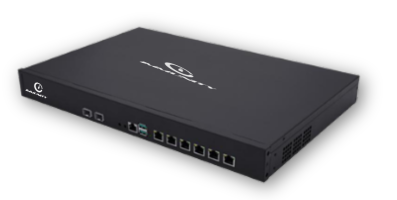 Control & security
Gateway security, wireless control, captive portal and billing in one appliance.
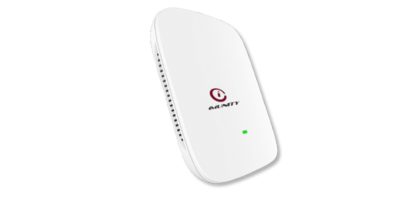 Wireless · Indoor
NetWave access point for the converged wireless control on NetGuard X5.
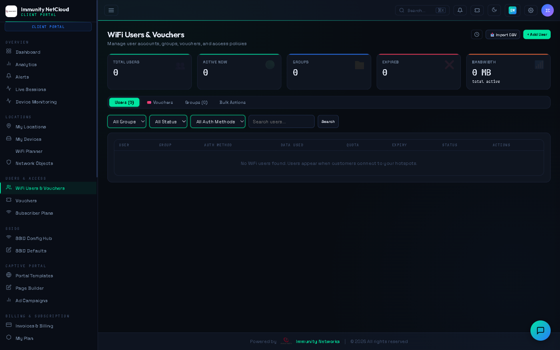 Platform
Central visibility and remote operations across every site.
It can. It provides gateway security alongside wireless control, captive portal and authentication. Whether it should replace an existing firewall depends on your security standards and team structure. If your firewall is embedded in tooling and process, keep it and run NetGuard X5 behind it.
The converged wireless control is designed for NetWave access points. Gateway security and captive portal functions are not vendor-specific, but the full benefit comes from running the Immunity stack together.
Either. NetGuard X5 provides local control on site; NetCloud Central adds central visibility and remote operations across multiple sites. Many customers run both.
Concentration of risk is a fair objection, and resilience is a design question rather than a product claim. Redundancy and failover options vary by model and configuration, so we size them against your uptime requirement and confirm the high-availability configuration for your model in writing. See redundancy and high availability.
In steps, each reversible. Start with the portal and billing, which are usually the least entangled. Bring wireless control across next, re-adopting access points area by area. Decide on the firewall last. None of it requires replacing switching or cabling.
It does not improve radio coverage, compensate for too few access points or repair an undersized backbone. If the underlying design is wrong, the number of boxes in the rack is irrelevant, which is why we survey and design before recommending any architecture.
Tell us what your current stack looks like, how your teams are organised and what the network has to deliver. Our engineers will tell you honestly whether convergence helps, including when the answer is that your existing architecture is fine as it is.
Deployments where this stack already runs, with the environment, the equipment and what changed.
Passenger Wi-Fi across six international terminals, run from one NetCloud console.
Read case study →AviationStandard public Wi-Fi at 13 regional airports, rolled out with zero-touch provisioning.
Read case study →HealthcareBranded guest Wi-Fi kept apart from clinical and admin systems.
Read case study →Tell us about your sites and users. Our India-based engineers will recommend the right stack and send across datasheets and pricing, usually within one business day.